Quick notes and reminders — a native Android app, built from my phone
The way my notes-to-self work is embarrassing. Someone mentions a show worth watching, I message it to myself on Telegram. A video I want to look up later, same thing. A thing to remember to tell someone next time I see them, scheduled message. Saved-messages-as-a-brain works surprisingly well — but Telegram doesn't do geofences, and half the time the reminder I actually want is "when I get home" rather than "at 18:00." So I decided to build the app I actually wanted. On my phone. In about three hours of active time, across one day.
How to build an Android app without a computer
The whole thing started in the GitHub app: new empty repo, no README, no license, nothing in it at all. Then I opened Claude on the same phone, described what I wanted the app to do, and asked it to write me a starter prompt for Claude Code — enough for it to scaffold a native Android project, set up Gradle, and hand me a working debug build. I pasted that prompt into Claude Code on the phone, pointed it at the empty repo, and hit send.
From there on it was conversation. I typed feature descriptions into the phone keyboard the way I'd normally paste them into a ticket, only now the engineer on the other end is a session in a cloud container that has cloned the repo, has a JDK, has the Android SDK, and can run Gradle. It compiles, sees the errors, fixes the errors, commits, pushes. I read the diff on the phone, ask for changes, watch it compile again.
There was no point in the day when I opened a laptop. There was no point in the day when I needed to.
This used to be the reason people bought laptops.
But does it compile? Does it install?
The Gradle build runs in the container the same way it would on a workstation. What surprised me is what happens next: Claude Code just offers me the resulting APK as a downloadable file. Tap once, it lands in the phone's Downloads folder. Tap it again, Android does its usual pantomime about installing from an unknown source, I approve, and the app is on my launcher. Iterate on the next feature, download the next APK, tap-tap-installed. The whole edit → compile → install → try-it loop happens inside the phone.
(There is, allegedly, also a web version. I have not opened it. I am not sure I will. The Android app is the one I actually wanted.)
What the app does, briefly
It is called Quick Notes & Reminders and it does what it says. A note is just a line of text — no titles, no folders. If I want, I attach a reminder to it: a time, a place, or both at once ("when I next get home, if it's between 4 and 6 pm, poke me about the plants"). The place picker is a real map. The dictate button takes voice, in both the languages I actually use, and doesn't get confused when I switch mid-sentence. The home-screen background is one I picked, cropped and dimmed myself, because the app is mine and I get to have opinions about wallpapers.
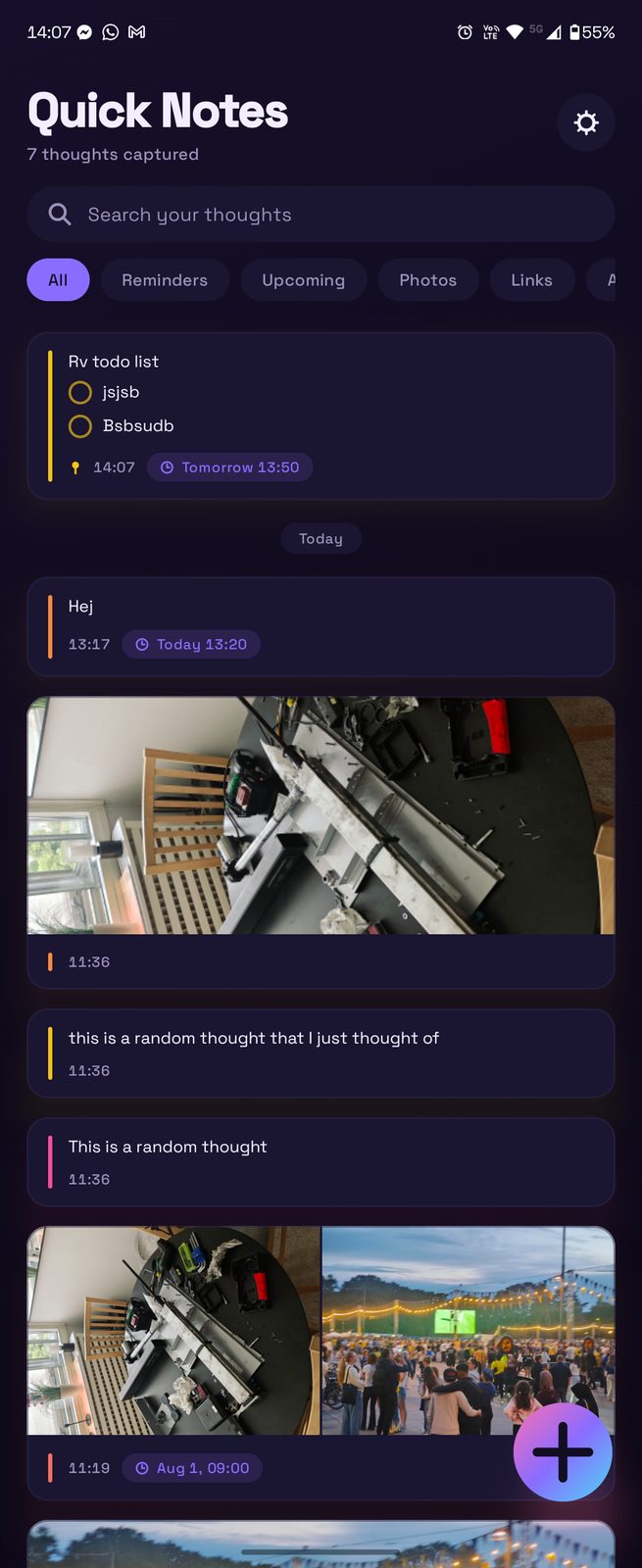
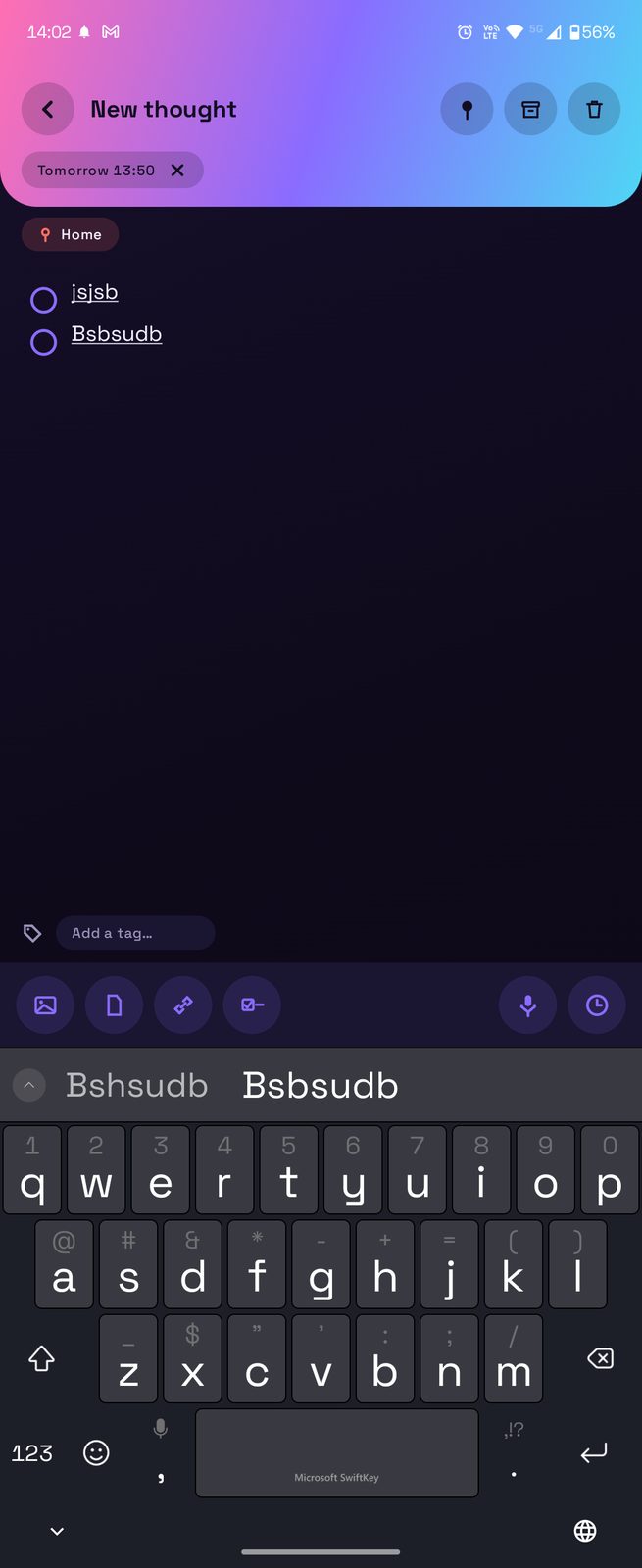
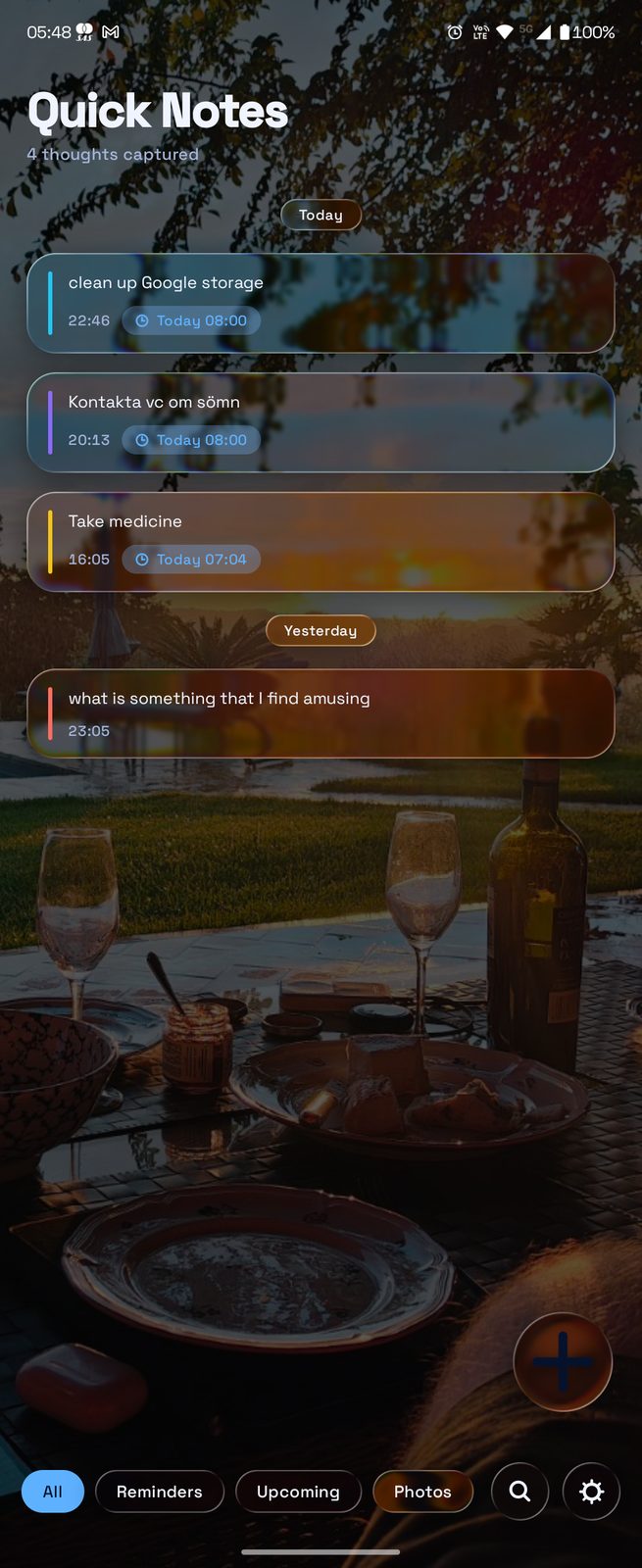
None of that is unusual on its own — every note app has notes, every reminder app has reminders. The difference is that this one has exactly the set I use, in the order I look for them, without four settings screens between me and the thing I want. The bar isn't "better than Google Keep." The bar is "better than a Telegram thread called Saved Messages that I've been tolerating for years." That's a low bar and it's the only one that matters, because I'm the only user.
What's next
Use it until the missing features surface. That's the actual test — three hours of building doesn't validate an app, three weeks of leaning on it does. I'll open the web version at some point, probably the first time I want to paste something from a laptop and can't be bothered to type it on the phone. Otherwise I'll keep dogfooding the Android and, if this log is any guide, discover a dozen small things I got wrong on the first pass. Those will be LOG-02.